Showing posts with label Codes. Show all posts

Tuesday, December 13, 2011

Create locker using command prompt


There are number of ways to make locker but if you have just basic knowledge of CMD then u can make script to create, lock & unlock ur locker :)


To create and unlock locker:

CODE:
Color 0A
Title "Hackrich"
PAUSE
ATTRIB -R -S -H +A C:\SachSongsEnglishHolywoodwavesmp3.{EE4DA6A4-8C52-4a63-BBB8-97C93D7E1B6C}
RENAME C:\SachSongsEnglishHolywoodwavesmp3.{EE4DA6A4-8C52-4a63-BBB8-97C93D7E1B6C} LOCKER
MD C:\LOCKER


Save it as unlock.bat using notepad :)


To lock ur locker:

CODE:
color 0A
TITLE "Hackrich"
PAUSE
ATTRIB -R -S -H +A C:\LOCKER
RENAME C:\LOCKER SachSongsEnglishHolywoodwavesmp3.{EE4DA6A4-8C52-4a63-BBB8-97C93D7E1B6C}
ATTRIB +R +S +H -A C:\SachSongsEnglishHolywoodwavesmp3.{EE4DA6A4-8C52-4a63-BBB8-97C93D7E1B6C}

Save it as lock.bat using notepad :)

Well really we do not lock folder by this method but we redirect access :)

Now copy both lock.bat & unlock.bat and paste them into winDIR ("x:\windows”) 

Nothing hard here have fun ! Share it :)


Now, little bit risky method...

here "XYZ" = "Dir of folder or  NTFS drive"

To lock folder:►

CODE:
 Title "Hackrich"
 attrib +R +S +H -A "XYZ"
 ECHO Press Y 
 cacls "XYZ" /P EVERYONE:N
 pause 

copy code and save it as lock.bat using notepad..

To unlock folder:►

CODE:
 title "Hackrich"
 echo Press Y
 cacls "XYZ" /G EVERYONE:F
 attrib -R -S -H +A "XYZ"
 pause

copy code and save it as unlock.bat using notepad..  

Have fun ! share it plz :)
 

Saturday, December 3, 2011

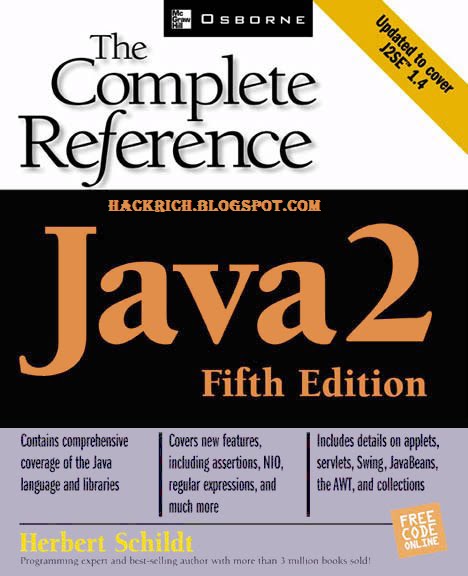
Ebook - Java: The Complete Reference with Jcodes


Want to learn java ?? :)
I have uploaded ebook which can enrich ur knowledge with complete reference..
.rar file also contains 10 java prog wch wud be helpful to you :)
so what you waiting for ?? :p download it and yes don't forget to hit like and share it :)
Good luck....

Demo: 
********************Prog*******************************

class str{
    int len;
    String str1="My name is Hackrich";
    public str(){
        len=str1.length();
    }
    String substr(){
        int start=len-10;
        int end=len;
        char chars[]=new char[end-start];
        str1.getChars(start,end,chars,0);
        String str2=new String(chars);
        return(str2);   
    }
}

class demo2{
    public static void main(String args[]){
        str s=new str();
        System.out.println("String is:"+s.str1);
        System.out.println("Substring formed by last 10 char:"+s.substr());
    }
}

***********************Output**************************

String is:My name is Hackrich
Substring formed by last 10 char: s hackrich   

******************************************************   


► Download it ◄

► Password : HACKRICH.BLOGSPOT.COM

 Share it :)  ♥


Saturday, September 10, 2011

Breaking Ciphers


Breaking a cipher, also known as CRYPTANALYSIS, without having the key is quite difficult and very time consuming. And, depending on the type of cipher system used to create the secret message, there may be more than one key that cracks the code!


To break a message, it helps to know something about the message.


>> Who sent the message?    >> What language is the message written in?
>> Who was it sent to?         >> Is there a key word you can look for?


After answering these questions, try counting the number of times each letter is used in the message - this is called a FREQUENCY COUNT. Knowing how often letters are used can help you guess which cipher letter equals which plaintext letter. From there you can make other guesses based on language rules.


Today, high level encryption is done with complex mathematics and computers, and the same is needed to break them.

Helpful Hints About the English Language

Rather than trying to break the cipher randomly with different decryption methods, try using these English factoids the next time you try to break a secret message!

Letters

* The MOST COMMON letters used in the English language are E, T, N, O, R, I, A, & S.
* More than HALF of all English words end in E, T, D, & S.
* T is the most common FIRST letter of a word.
* E is the most common LAST letter of a word.
* Q is always followed by a "U."
* There are NO English words that end in "Q" or "J."

Words

* If a letter stands alone in a sentence, it can easily be identified as an "A" or an "I."
* The MOST COMMON word used in the English language is the word "THE."
* The word "STOP" replaces "." at the end of a sentence.

For example:
MEET AT SIX STOP BRING CANDY STOP

Doublets

* The MOST COMMON Doublets (when the same letter is used twice in a row) found in the English language are:


EE, TT, OO, SS, LL, FF
Examples include:
EERY ATTIC ROOM STOP ACCESS STILL CUTOFF STOP

2-Letter Combos

* The MOST COMMON 2-Letter combinations found in the English language are:
HE, RE, AN, TH, ER, IN
Examples include:
HELP STOP RESEND MAN WITH WATER INSIDE STOP

3-Letter Combos

* The MOST COMMON 3-Letter combinations found in the English language are:
ION, AND, ING, THE, ENT
Examples include:
UNION DISBANDING STOP TIMING THE DESCENT STOP

Make A Cipher: Caesar's Shift Cipher


How to Encrypt a Caesar's Cipher

Step 1
Write down each letter of the alphabet. This is called a Standard Alphabet.


Then select a number that will be used as the KEY.


For our example, we will use 7 as our Key Number.


Step 2
Starting with the letter A in your Standard Alphabet, count seven letters to the right and write the letter A underneath the G.


Continue writing the remaining letters of the alphabet until you come to the end of the Standard Alphabet.


Step 3
Once you have reached the end of the Standard Alphabet, go back to the beginning and write in the remaining six letters.


Now you are ready to encrypt your message!


Step 4
Locate the first letter from your plaintext in the Standard Alphabet. The letter below it is the cipher letter. Follow this method for each letter.


For example: B=V, I=C, O=I


Step 5
There are many different kinds of Caesar Ciphers, or Shift Ciphers, as they are commonly called.


Try using shifted numbers or a key word cipher instead of letters for your next secret message!


CONGRATULATIONS! 
You have created a Number Shift Cipher!

Make A Cipher: Number Shift Cipher


How to Encrypt a Number Shift Cipher

Step 1
Write down your PLAINTEXT message on a piece of paper.


Step 2
Create a 5x5 grid, also known as a Polybius Grid, on your paper.


Make sure your grid has 25 squares when you are finished.


Step 3
Write the numbers 1 thru 5 down the left side of the grid and across the top of the grid as well.


Beginning with the letter A, fill in the squares with the letters of the alphabet. Because there are only 25 squares, cryptanalysts usually put the letters Y and Z together in the last square.


Step 4
Begin encrypting your message by locating the first letter of your plaintext message in the grid.


Write down the row number followed by the column number.


In our example, the T will be encrypted as the number 45.


Step 5
Continue until your entire message has been encrypted.


To make your message more secure, leave out the spaces between each word.

CONGRATULATIONS! 
You have created a Number Shift Cipher!

How to Decrypt a Number Shift Cipher

Step 1
Based on the KEY provided by the sender, create a 5x5 grid (Polybius Grid). Label the rows 1 thru 5 down the left side of the grid and the columns 1 thru 5 across the top.


Step 2
Once you have created the grid, fill in the squares with the letters of the alphabet. Because there are only 25 squares and 26 letters, remember to put Y and Z in the same square at the bottom of the grid.


Step 3
To begin decrypting the ciphertext, take the first number from the message and examine the number's two digits. The first digit is the row number and the second digit is the column number.


Write the letter that appears at the intersection of the specific row and column on the grid.


Step 4
Continue decrypting the ciphertext until your message is revealed.

CONGRATULATIONS! 
You have learned how to decrypt a Number Shift Cipher!

Make A Cipher: One Pig's Pen


How to Encrypt a Pig Pen Cipher

Step 1
Write down your PLAINTEXT message on a piece of paper. Then draw two tic-tac-toe grids and two big X's - alternating each grid as you draw them on your paper.


Step 2
In the last two grids, place a dot in each compartment.


Then, beginning with the first grid, fill in each compartment with a single letter of the alphabet.


Step 3
To draw the cipher letters, use the shape of the compartment, or the "pen," surrounding the letter itself.


DO NOT include the letter in the cipher.


Step 4
Once you have created the cipher, send the message to a friend. Before you send it, make sure your friend knows what the patterns are for the grids and letters.


To make the cipher more secure, try changing the letter and dot patterns inside the compartments.

How to Decrypt a Pig Pen Cipher

Step 1
Arrange the grids and letters on a piece of paper according to the KEY that breaks the cipher.


Draw the grids in the correct pattern and then fill in the different compartments, or pens, with the appropriate dots and letters.


Step 2
Begin decrypting the message by comparing the shape of each cipher letter with the shape of the grid compartments.


Once you find a match, write down the letter that the cipher represents. Continue until you have completed decrypting the entire message.

Make A Cipher: The Key


How to Encrypt a Key Cipher

Step 1
Choose a word to be your KEY word. Make sure the word you select has at least five or six letters in it and has no repeating letters. For example the word APPLE will not work with this cipher because there are two P's in the word. In our example, we will use the word MAPLE for our key.


Step 2
Write the Key word on a piece of paper. Leave a little bit of space between each letter as you write down each letter of your Key.


Next, draw a column under each letter of the Key word.


Step 3
Fill in the columns by writing your PLAINTEXT message one letter at a time.


Any empty spaces should be filled in with a NULL. A NULL is usually represented by the letter X.


Step 4
Rewrite the columns so that the letters in your Key word are in alphabetical order.


In our example, the word MAPLE will be rearranged to read AELMP.


Step 5
To see your encrypted message, copy the letters in each column from top to bottom, but DO NOT include the letters in the Key word.

CONGRATULATIONS!
You have successfully created a KEY CIPHER!

How to Decrypt a Key Cipher

Step 1
Find out what the KEY word is from the person who sent you the message. Write the letters from the Key word in alphabetical order on a piece of paper.


Draw a column under each letter of the Key word.


Step 2
Starting under the letter A and writing from left to right, fill in the grid with the letters from the ciphertext.


Step 3 
Once the grid is filled in, rearrange the columns so the Key word is spelled out correctly. Reading from left to right, you should be able to see the plaintext message.

CONGRATULATIONS! 
You have successfully deciphered a KEY CIPHER!

Cipher


What is a Cipher?

A cipher is a way to make a word or message secret by changing or rearranging the letters in the message. (A code affects the word, not the individual letters.)


One type of cipher, called a TRANSPOSITION CIPHER, is created by simply rearranging the letters in the word itself. For example, CHYPRAGTOPRY can be unscrambled to reveal the word CRYPTOGRAPHY. Another cipher, the SUBSTITUTION CIPHER, is a bit harder. It involves changing the letters of your message into something else: other letters, numbers, or symbols. Using a substitution cipher, the word CRYPTOGRAPHY might look like this: DOHQMRZOFQYH. In this example C=D, R=O, Y=H, and so on.


For your friends to understand the message, they must know your system. In our substitution cipher, your friend would need to know the KEY, or how the system is set up (a=f, etc.). If only you and your friend have the key, then it is very difficult for others to read your message.

cryptology

What’s cryptology? Cryptology is making and breaking codes. It’s so cool. We make codes so we can send secret messages to our friends. And we try to figure out what other people are writing about by breaking their codes. It’s a lot of fun.......


 What are Codes?

Throughout history, world events have changed because of secret messages. Secrets that were kept and secrets that were not.


Although most people think of codes as being secret messages, codes are really any symbol or signal used to represent, or communicate, something else. Any word could be considered a codeword. The code word given to a four-legged furry creature that barks are the letters D, O, G. Because you know that those three letters represent a real dog, you understand the code!


Sometimes, however, it is important that only a few people understand the message. In the world of cryptology, codes are used to make messages secret by changing the words into something else. But, in order for your friends to understand the coded message, they need the key! If your friends have the key, and your enemies do not, your messages become secret.


How well you've created your code and key will determine how long your message stays a secret from others.

Creating a Dictionary Code

Dictionary Codes have been used for centuries. They can be quite confusing to anyone who doesn't know the system - which makes them great for sending secret messages!

DIRECTIONS: Use a dictionary or any book with a lot of different words.

1.     Write down your message in English, this is called "plaintext."
        Example: YOU CAN CREATE YOUR OWN CODED MESSAGE.
2.     Find the first word in your dictionary or book.
3.     Write down the page number, column or paragraph number, 
        and the Nth word down that column or into that paragraph.
        Example: YOU = Page 1454, Column 1, 24th word down.
4.     Separate the numbers by a period.
        YOU=1454.1.24
5.     Repeat Steps 2-4 for every word in your sentence.
        YOU = 1454.1.24   CAN = 178.1.35   CREATE = 293.1.29
        YOUR = 1454.2.2   OWN = 887.1.16   CODED = 239.2.2D
        MESSAGE = 778.2.20
6.     In some cases, you may have to add a prefix or suffix to the numbers.
        CODED = 239.2.2D
       The finished cipher should look like the cipher below. 
       1454.1.24  178.1.35  293.1.29 1454.2.2  887.1.16  239.2.2D 778.2.20
7.     Remember to leave a space between each group of numbers.
   
   CONGRATULATIONS!
   You have created your very first code!

Related Posts Plugin for WordPress, Blogger...

IP info

hAckRich

Tags

study (19) education (18) coding (11) Codes (9) ciphers (9) cryptology (9) CRYPTOGRAPHY (8) Hacking Tutorials (5) Ethical hacker/hacking (4) Exploits and Incident Handling (4) HACKING WINDOWS (4) Make A Cipher (4) Windows (4) password breakers/crackers (4) Dictionary (3) Ebook (3) Facebook (3) Facebook Emoticons (3) Google Dork (3) Google Hacks (3) facebook symbols (3) php hack (3) tools (3) ASCII art (2) Facebook Animated Gif Image Status (2) GRE (2) GRE Dictionary (2) Hack a Website (2) IELTS (2) Java: A Beginner's Guide (2) Password Cracking (2) Password Recovery (2) SOCIAL ENGINEERING TOOLKIT (2) Session hijacking (2) find the vulnerability (2) java (2) password-auditing (2) password-cracker (2) php (2) Abel (1) Backtrack 5 (1) Barron’s GRE word list (1) Breaking Ciphers (1) CIPHERTEXT (1) CRYPTANALYSIS (1) Caesar's Shift Cipher (1) Cain (1) Cain and Abel (1) Crypters Binders RC4 (1) DOS (1) Facebook Chat Text Generator (1) Fast leech generator (1) Hacking Tools (1) HconSTF (1) List of best anonymizers (1) Make fake virus (1) Number Shift Cipher (1) One Pig's Pen (1) RFI (1) Remote file inclusion (1) SEO (1) SQL injection (1) Security 504 Hacker Techniques (1) Steal/trace ip (1) The Key (1) The Rail Fences (1) Toefl (1) Uses of proxy server (1) Virus (1) Vocabulary Word List (1) Winding Way Cipher (1) blog tips (1) brute force (1) brute forcing. (1) brutus (1) brutus-aet2 (1) brutus-aet2.zip (1) brutus-password-cracker (1) bypass web-filters (1) chat (1) command prompt (1) cookie stealing (1) crackers (1) e (1) fast download (1) hacking-software (1) hot file (1) improve site (1) ip catcher (1) ip tracker (1) leech (1) leecher (1) list of proxy servers (1) mail (1) mega upload (1) mobile (1) network-sniffing (1) rapid share (1) regular download link into premium (1) serial keys 94fbr (1) symbols (1) th3j35t3r's DOS tool (1)

Hackrich

welcome

☁ Partners Link Cloud ☁